ウェンティのAI画像生成プロンプト5選|構図・背景・ポーズ別の結果
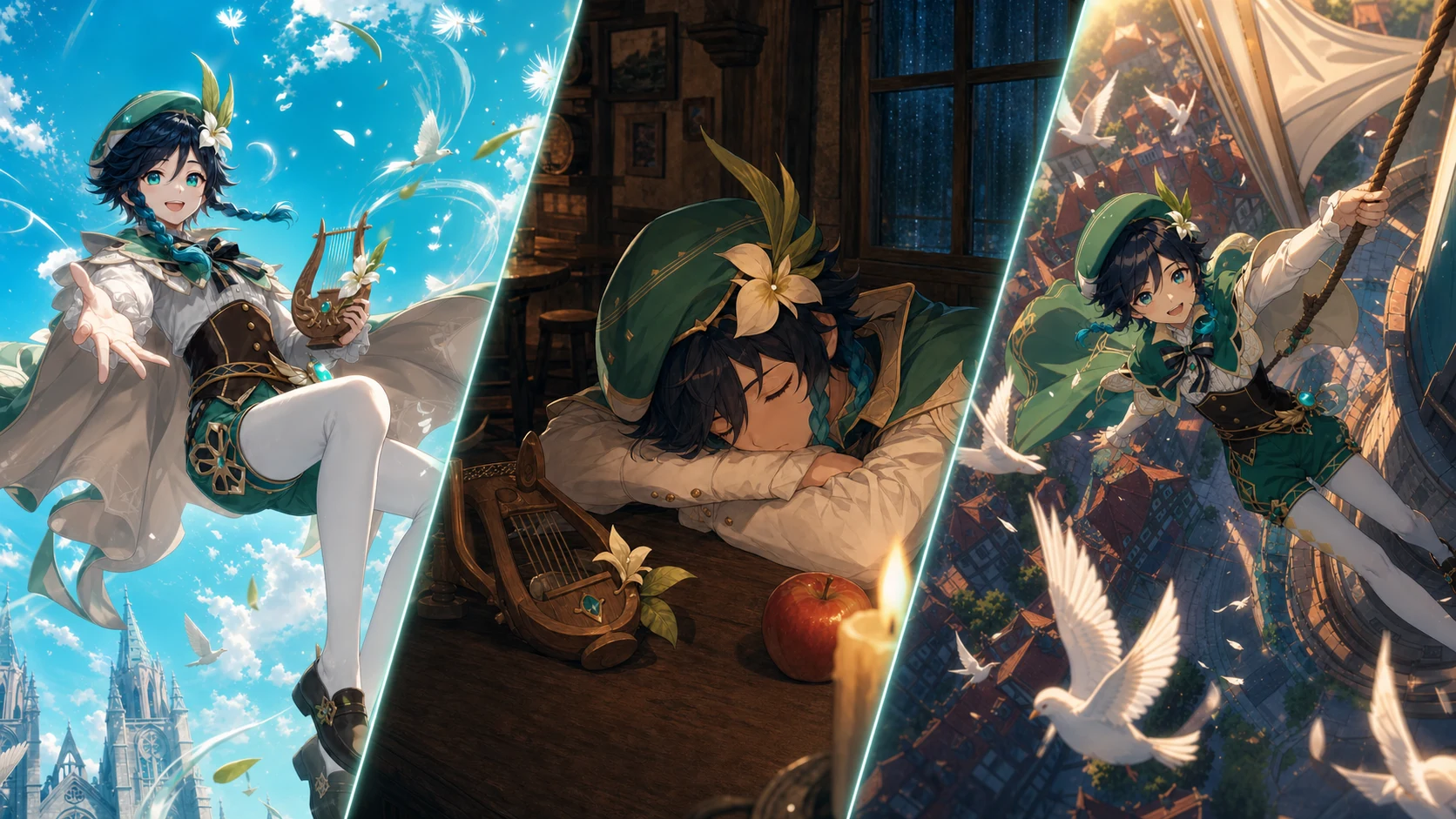
ウェンティを5つの異なるポーズ、背景、画角で生成。英語の実プロンプト、日本語訳、ネガティブプロンプト、生成結果の分析をまとめました。
ウェンティでSNS映えするAIイラストを作るため、似た構図を避けた5つのシーンを検証します。
この記事で分かること
- 1ウェンティを再現する共通プロンプトの作り方
- 2ポーズ・背景・画角が重ならない5つの設計
- 3英語プロンプトと日本語訳の切り替え
- 4共通ネガティブプロンプト
- 5実際の生成結果とSNS向け構図の分析
1ウェンティを似た構図にしないための固定要素と可変要素
二本の三つ編み、羽根付きベレー帽、緑と白の吟遊詩人衣装、竪琴、青緑の瞳は共通させました。浮遊演奏、酒場での居眠り、風車塔の移動、嵐の戦闘、逆さまの夢幻落下に分け、ポーズ・カメラ・背景・時間帯・感情のリズムが毎回重ならないよう設計しています。
- キャラクターの髪、目、衣装、象徴的な装飾は固定
- 5案で身体の向きと大きなシルエットを重複させない
- 背景、時間帯、光源の方向を毎回変更
- ローアングル、俯瞰、横顔、正面対称、横追従を使い分ける
- SNSのサムネイルでも顔と動作が一目で読める構図を優先
5案共通のネガティブプロンプト
人物の重複、手足の破綻、悪い切れ方、文字の混入、似た構図への回帰を抑える共通指定です。
text, logo, watermark, signature, readable music notation, duplicate character, extra limbs, duplicate limbs, extra fingers, fused fingers, malformed hands, distorted anatomy, cropped face, hidden braids, muddy colors, low detail, photorealism, 3D render, sexualized pose3ウェンティの画像生成プロンプト5選と結果
プロンプト欄は初期表示が英語で、日本語へ切り替えられます。デスクトップでは隣の画像高に合わせて内部スクロールし、スマートフォンではページ全体をそのままスクロールできます。
結果1:春の広場と風の螺旋
躍動するローアングル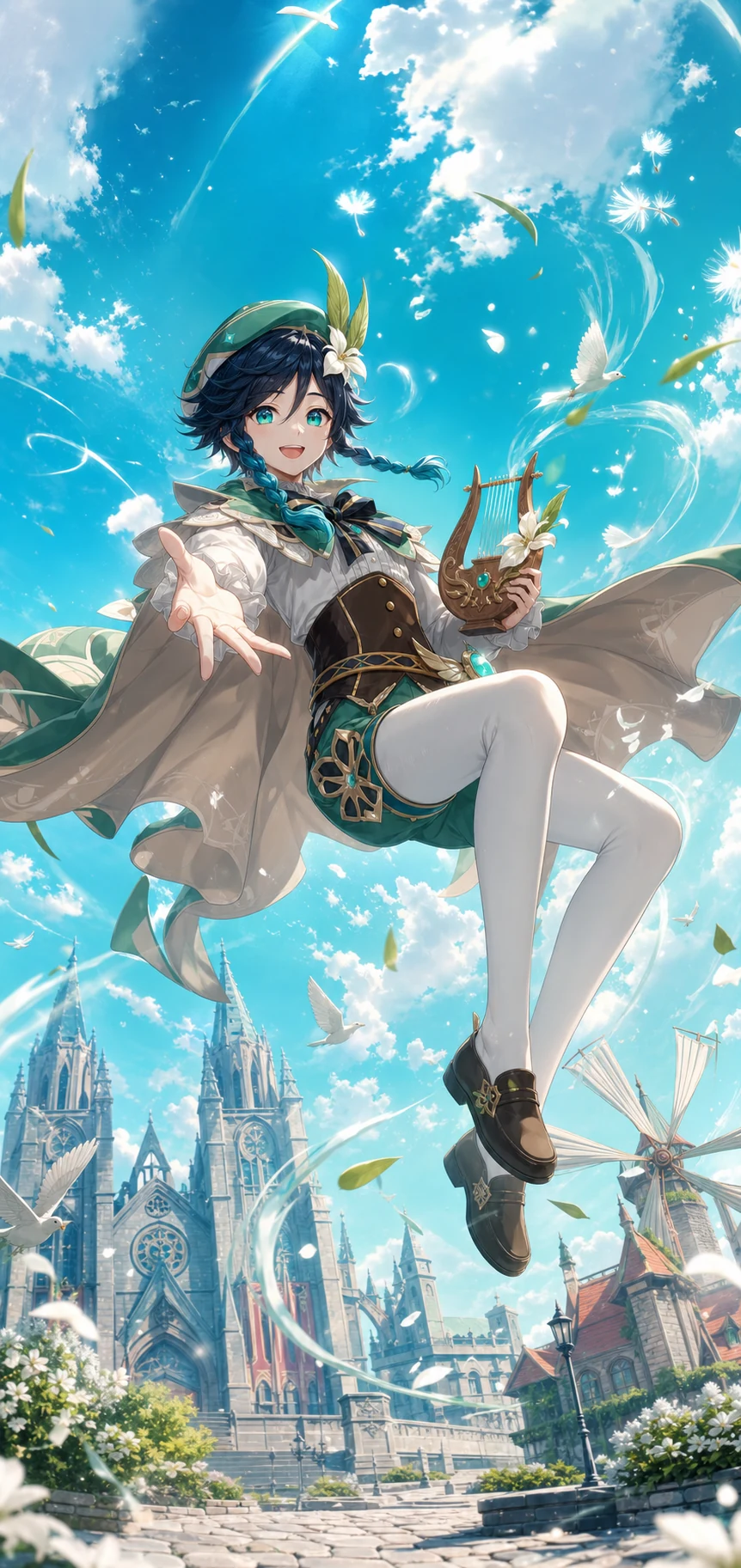
広場上空の浮遊演奏プロンプト
Premium vertical anime key visual of Venti from Genshin Impact, faithful official design: youthful bard, dark teal hair in twin braids, green-and-white bard outfit, feathered beret, bright teal eyes. He plays a lyre while floating backward above Mondstadt plaza, one knee raised, cape and ribbons forming a wide spiral of wind and dandelion seeds. Extreme ground-level wide angle, bright spring morning, turquoise sky and warm stone, joyful inviting face, crisp social-media illustration. No text, logo, watermark, duplicate character, extra limbs, bad hands, sexualized pose.結果2:閉店後の酒場で居眠り
静かな人物描写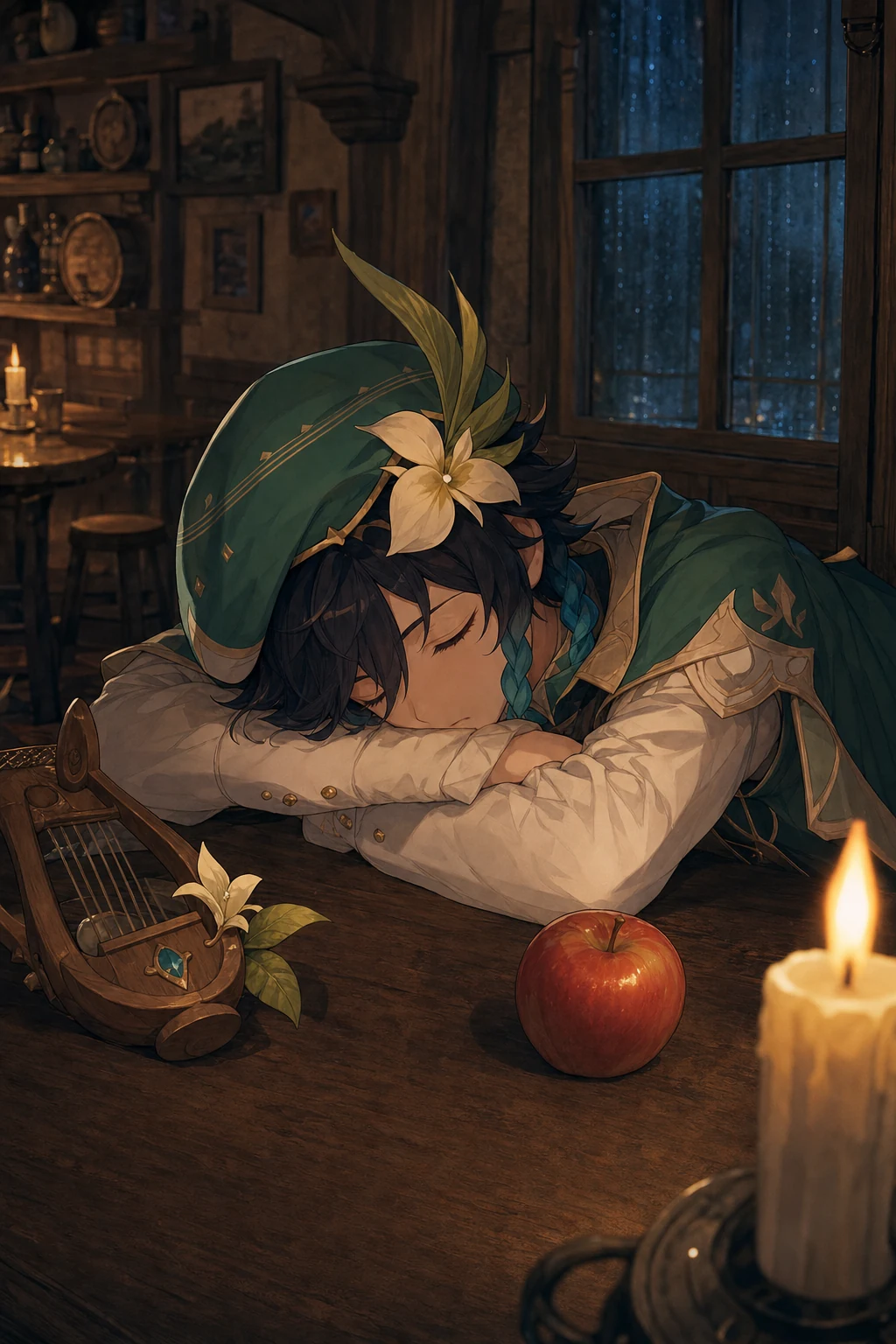
雨夜の酒場で眠るプロンプト
Premium vertical anime illustration of Venti from Genshin Impact, faithful official design. Inside a nearly empty Angel's Share tavern after closing, he sleeps folded over a wooden table beside a single untouched apple and a small lyre, cheek on crossed arms, feathered hat tilted over one eye. Intimate eye-level 85mm composition, amber candlelight, rainy blue window, quiet humorous mood, no wind magic. No text, logo, watermark, duplicate character, extra limbs, bad hands, sexualized pose.結果3:夕暮れの風車塔ロープ移動
円運動と高低差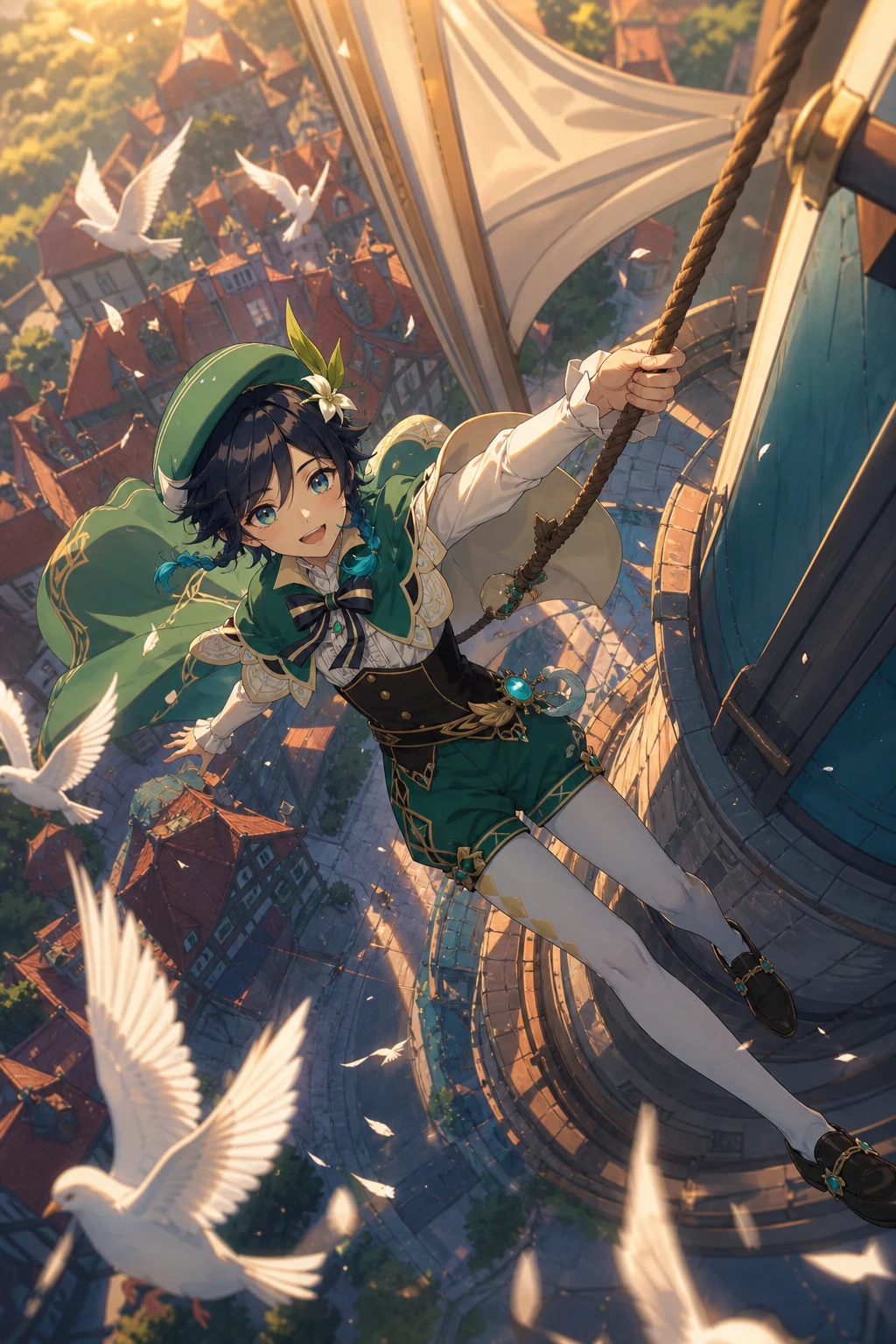
風車塔を移動するアクションプロンプト
Premium vertical anime action art of Venti from Genshin Impact, faithful official design. He glides sideways around the exterior of Mondstadt's tallest windmill tower, one hand gripping a rope and boots skimming the rotating sail as pigeons scatter. High aerial top-down camera, sunset orange and teal shadows, strong circular motion, city far below, exhilarated grin. No text, logo, watermark, duplicate character, extra limbs, bad hands, sexualized pose.結果4:嵐を背負う正面の弓
視線を射抜く正面構図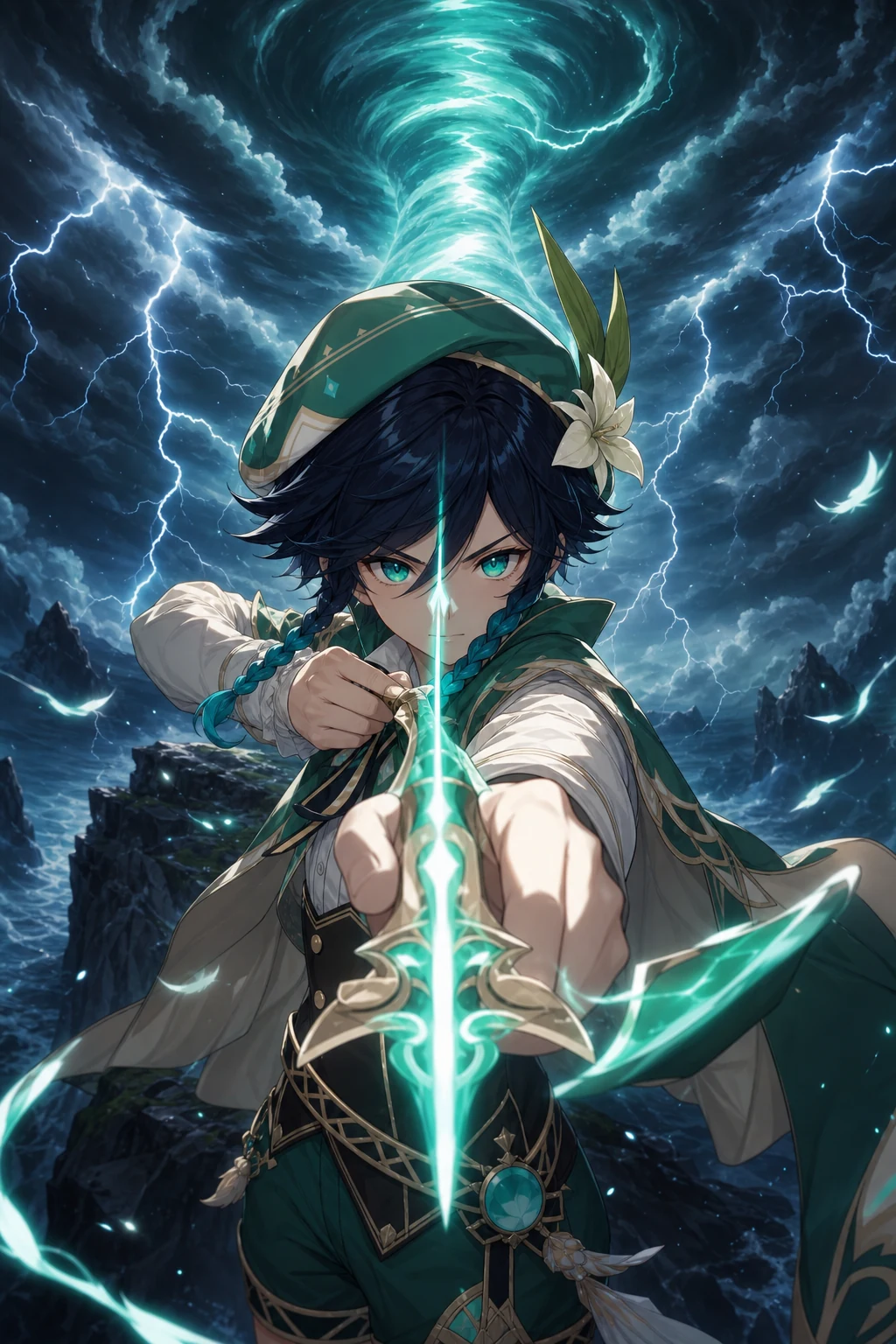
嵐の崖で弓を引くプロンプト
Premium vertical anime key visual of Venti from Genshin Impact, faithful official design. On a black storm cliff he draws a glowing green bow straight toward the viewer while a tornado splits thunderclouds behind him. Tight frontal chest-height camera, one foreshortened hand and bow in foreground, midnight cyan lightning, fierce focused expression, strong centered symmetry. No text, logo, watermark, duplicate character, extra limbs, bad hands, sexualized pose.結果5:逆さまに落ちる夜明けの夢
余白を使う幻想構図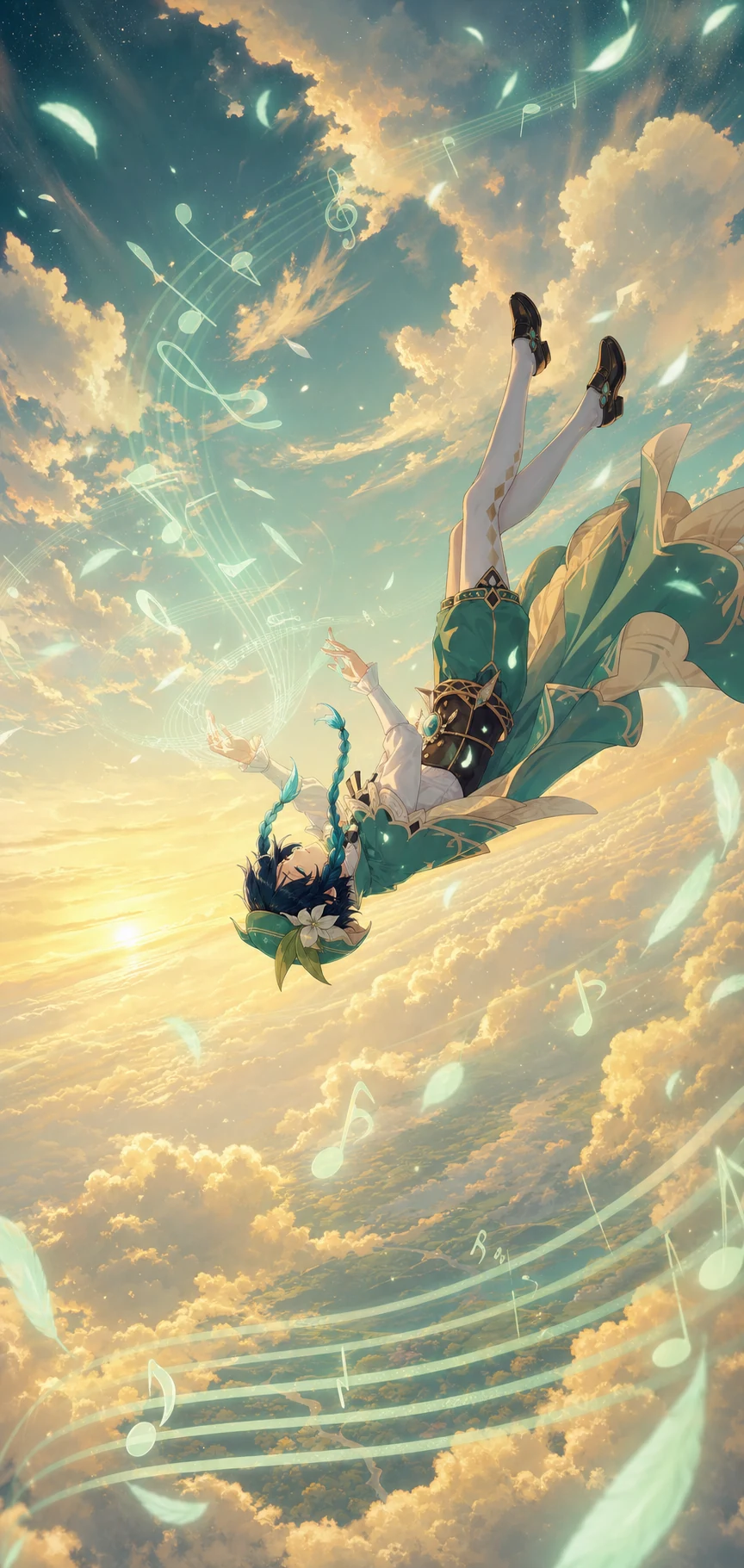
金色の雲海へ落下するプロンプト
Premium vertical surreal anime poster of Venti from Genshin Impact, faithful official design. He falls upside down through a golden sea of clouds at dawn while calmly conducting dozens of translucent wind notes with both hands, braids and cape drifting upward. Distant side-profile fisheye, huge negative sky, soft gold and mint palette, serene dreamlike mood, full body readable. No text, readable music notation, logo, watermark, duplicate character, extra limbs, bad hands, sexualized pose.9差別化を成功させる優先順位
背景名だけを変更しても、人物が毎回中央で直立していれば別案には見えません。最初に身体の軸と動作を分け、その後にカメラ、時間帯、光、色、感情を割り当てると、キャラクターらしさを残したままシリーズ全体に差が生まれます。
10まとめ:生成前に5つの差を設計する
ウェンティの識別要素を固定し、ポーズ、背景、画角、時間帯、感情を先に分離することで、ランダム生成だけでは得にくい5種類の結果になりました。量産前に差別化表を作る方法は、SNS投稿とSEO記事の両方で再利用できます。
よくある質問
Q同じキャラのAI画像が似た構図になるのを防ぐには?
背景より先に、身体の軸、動作、カメラの高さ、時間帯、視線誘導を5案に割り当てます。人物を毎回中央に直立させないことが重要です。
Qなぜ同じプロンプトを5回使わないのですか?
同一プロンプトは再現性の比較には向きますが、強い差別化は保証できません。今回はSNS投稿シリーズを想定し、識別要素だけを共有してシーン設計を分けています。
Qプロンプトは英語と日本語のどちらで表示されますか?
初期表示は英語です。各プロンプト欄の切り替えボタンから日本語訳を確認できます。